
User Manual
SubCircle documentation
- Open SubFlow → Translate.
- Drag-drop or browse for the source SRT file (UTF-8/UTF-16/BOM supported).
- Pick source language (or leave
auto) and target language. - Click the model badge — pick any of the 30+ models across Anthropic, OpenAI, Gemini, DeepSeek, Cloudflare Workers AI. Pricing shows next to each name.
- (Optional) Click Preview first — translates the first 20 cues and shows a dry-run so you can sanity-check the model before committing to the full file.
- Hit Translate all. Progress + per-batch logs stream live.
- When done: preview cues side-by-side, click Download, or open in Editor for line-level edits.
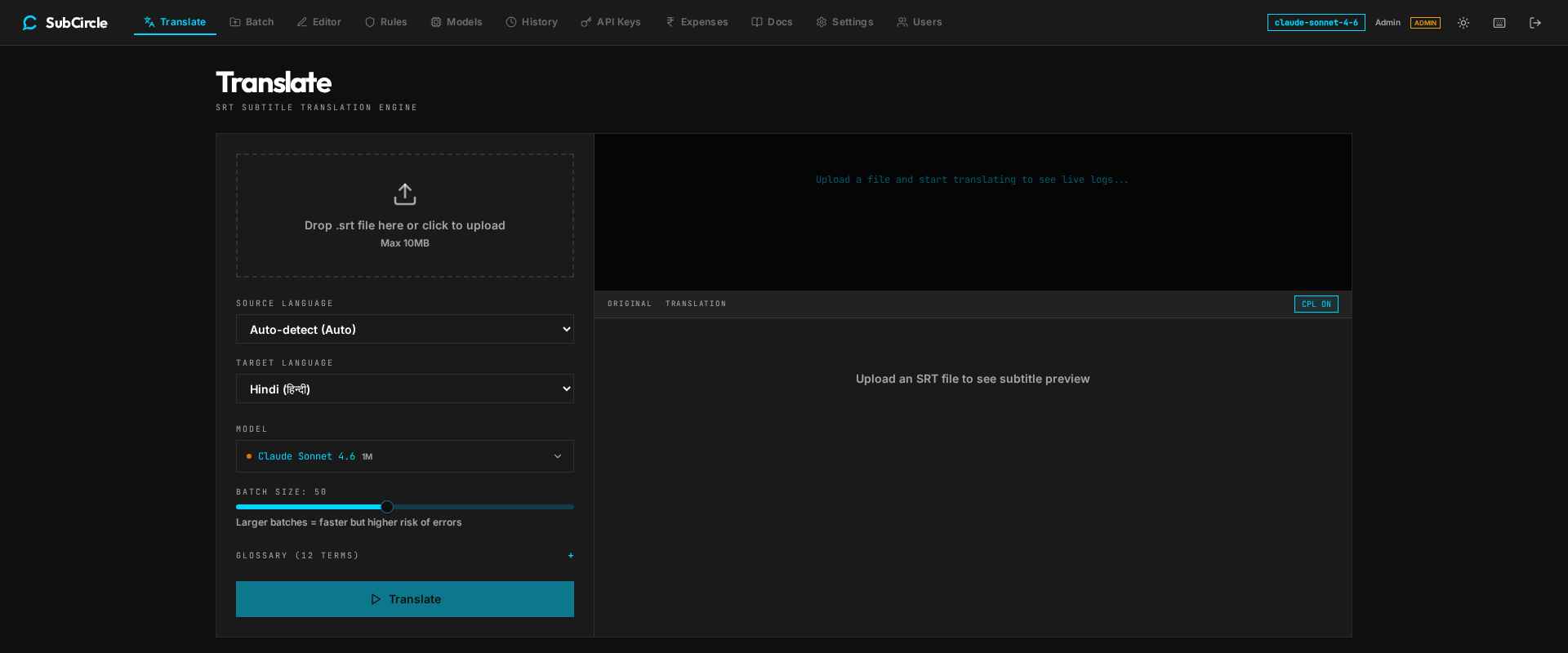
Translate — model picker groups every provider with live pricing